


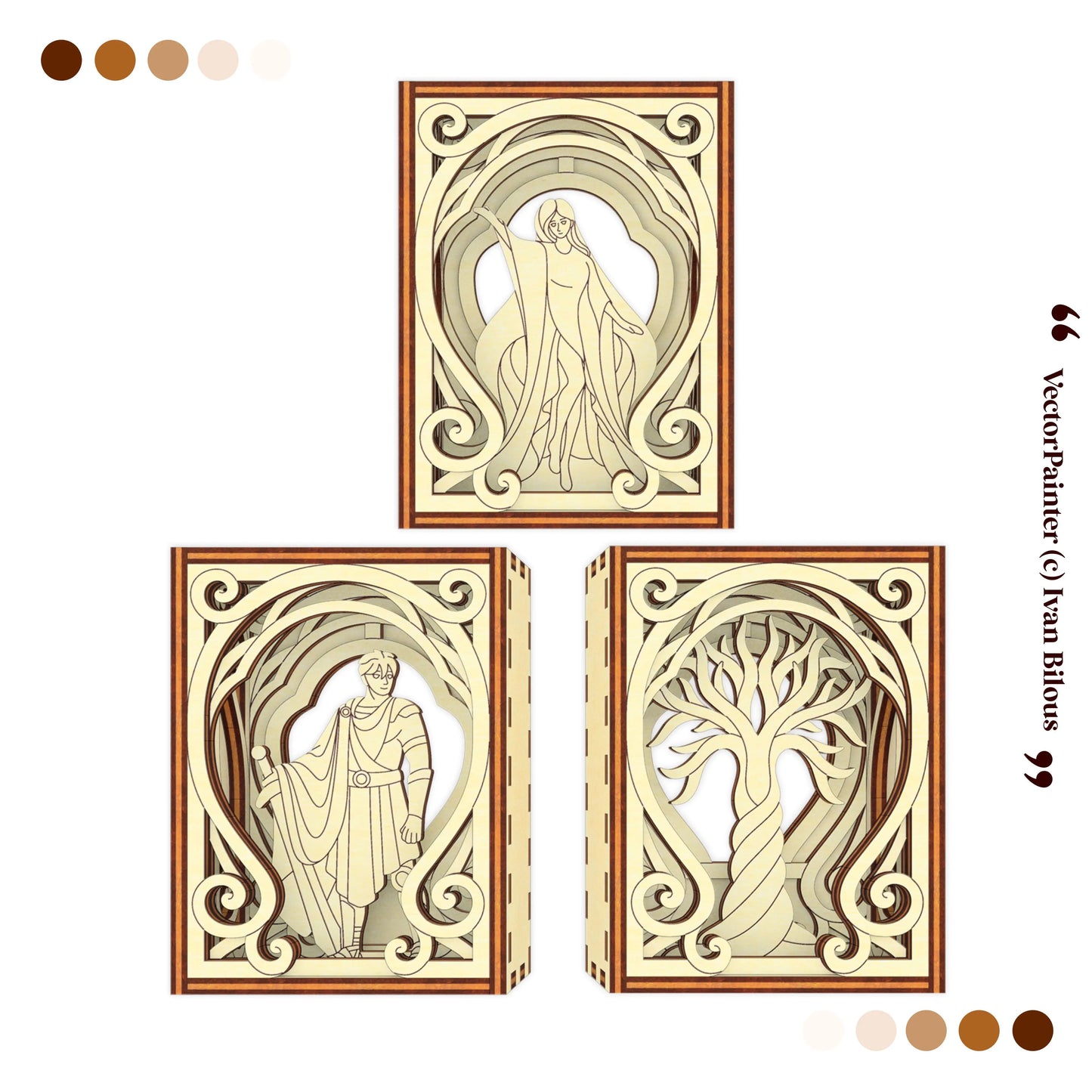
Mythology Centerpiece Mini Diorama Laser Cut File for creating a layered wooden fantasy display with decorative arches, mythical characters, a tree of life motif, and a magical book-nook style atmosphere. This SVG digital download is designed for laser cutting and can be used as fantasy shelf decor, mythology room decor, bookshelf display, miniature diorama, lighted table centerpiece, or dark academia decoration.m decor, mythology-inspired wall art, or a unique handmade gift for dragon lovers.
This is a digital product. No physical item will be shipped.
Your files will be sent to your email immediately after purchase.
Perfect For
- Fantasy bookshelf decor
- Mythology shelf displays
- Mini book nook style decor
- Library decorations
- Dark academia room decor
- Lighted table centerpiece decor
- Fantasy room accents
- Mythology-inspired wall art
- Witchy and mystical room decor
- DIY wooden fantasy projects
- Gifts for mythology lovers
- Miniature diorama displays
Product Details
- Digital laser cut file for a Centerpiece Mini Diorama
- Design type: dragon shadow box / fantasy book nook / layered wooden display / mythical creature decor / dragon shelf art / dark academia decor
-
Assembly difficulty: Easy ▰▰▱▱▱
- Some parts may require glue
- Material compatibility: plywood, MDF, basswood, acrylic and similar sheet materials
- Software compatibility: LightBurn, xTool Creative Space, Glowforge, RDWorks, CorelDRAW, Adobe Illustrator, Inkscape, and other laser cutting software
🛒 What You Receive
- Ready-to-use vector plans for 3 mm, 1/8", 4 mm, 5 mm, 6 mm, and 1/4" material thicknesses
- Clean, tested vector plans in SVG, DXF, CDR, and AI formats
- PDF assembly instructions with 3D visual guidance
- Instant digital download after purchase
- Free technical support
📁 File Formats
- SVG
- DXF
- CDR
- AI
🤏 Material Thickness Versions
- 3 mm
- 1/8" / 3.175 mm
- 4 mm
- 5 mm
- 6 mm
- 1/4" / 6.35 mm
Please use the file version that matches your real material thickness. You only need to cut one file version. Do not mix parts from different material thickness versions.
| Material thickness |
Unit | Finished Size of the Model |
Cut File Layout Dimensions |
Largest Part Dimensions |
||||
|---|---|---|---|---|---|---|---|---|
| Length | Depth | Height | Width | Height | Width | Height | ||
| 3 mm | mm | 60 | 34 | 80 | 153 | 231 | 60 | 80 |
| inch | 2.36 | 1.34 | 3.15 | 6.02 | 9.09 | 2.36 | 3.15 | |
| 1/8" | mm | 64 | 36 | 85 | 162 | 244 | 64 | 85 |
| inch | 2.50 | 1.42 | 3.33 | 6.38 | 9.63 | 2.50 | 3.33 | |
| 4 mm | mm | 80 | 45 | 107 | 204 | 308 | 80 | 107 |
| inch | 3.15 | 1.78 | 4.20 | 8.03 | 12.13 | 3.15 | 4.20 | |
| 5 mm | mm | 100 | 57 | 133 | 270 | 407 | 106 | 141 |
| inch | 3.94 | 2.23 | 5.25 | 10.63 | 16.04 | 4.17 | 5.56 | |
| 6 mm | mm | 120 | 68 | 160 | 306 | 462 | 120 | 160 |
| inch | 4.72 | 2.68 | 6.30 | 12.05 | 18.19 | 4.72 | 6.30 | |
| 1/4" | mm | 127 | 72 | 169 | 324 | 489 | 127 | 169 |
| inch | 5.00 | 2.83 | 6.67 | 12.75 | 19.25 | 5.00 | 6.67 | |
Please check the dimensions of the largest part to make sure it fits within your laser machine’s working area or your wood sheet.
Usage rights depend on the license you choose. Personal or commercial use, sales limits, and attribution requirements vary by license type.
You may not resell, share, upload, copy, or redistribute the digital files under any license. All rights reserved © Ivan Bilous.